Features › Checklists
Checklists
Know the opening list got done.
Opening, shift-change and closing lists on the phone. Whoever is on the clock checks tasks off, every tick records who and when, and the manager on duty hears when the list is done.
At a glance
- Who uses it
- The people on the clock check tasks off. Shift leads, managers and owners follow along on the store board.
- What it does
- Puts each store's opening, shift-change and closing lists on the phone, grouped by area, with a time each list opens and is due.
- What you get
- Initials and the time on every tick, a notice when a list is done, and a review of any day's lists.
- What it doesn't do
- Send texts or emails. It isn't a food-safety or inspection log.
Opening · Ava, on the clock
Tick it off on the phone.
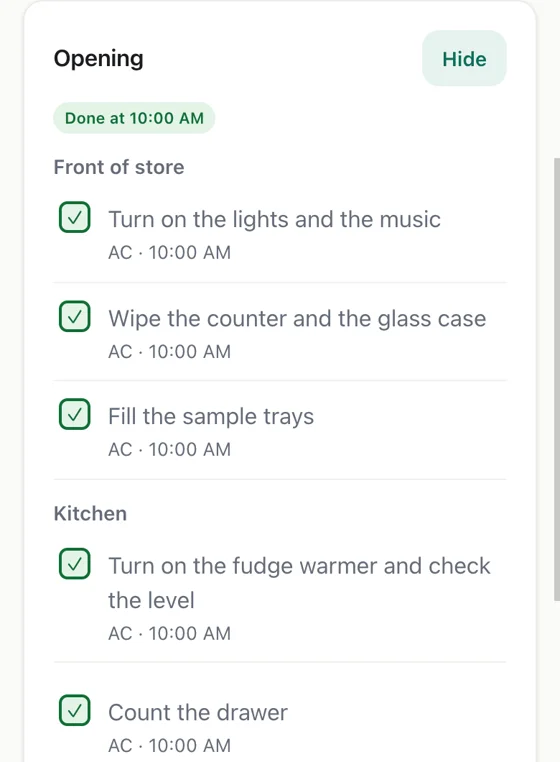
On the clock, Ava opens the Opening list on her Home screen and checks off each task. Her initials and the time go under every tick.
When it's done · Noah, shift lead
Done, and the right people hear.
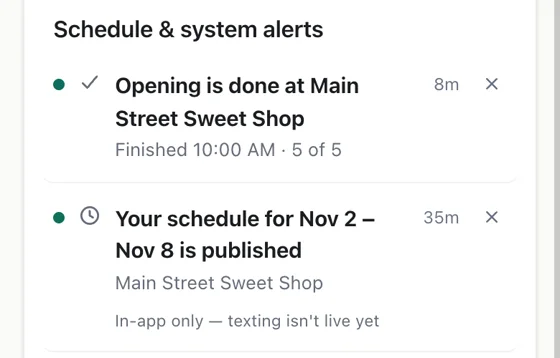
The manager on duty is always told. For each list, the owner can choose who else hears: a notice in the app, not a text or an email.
Review · The owner
Who did what, and when.
From the store board, open the list for any day: every task, who did it and the time.

Your tasks first.
Each person's own tasks come first, and anyone can take the rest. With "Open tasks unlock after your own are done" on, someone with an unfinished task can see the open ones, but takes one only once their own are done.
Clocking out with a task left.
DayVera says so before they go, and never stops them. If they clock out anyway, the task goes back to Anyone and the shift lead sees it on the board.
Good to know
Store checklists are off until you turn them on in Setup. Notices go out when a list is done, in the app only. A list that runs past its due time shows Late on the list itself. Checklists aren't a food-safety or inspection log.
Know the store is open right.
14 days free, then $49.95 per location per month. Cancel any time.